


What is a firewall? What does a firewall do? This article explains the 5 major benefits of installing a firewall, breaks down how firewalls work in 3 steps, introduces the features, pros, and cons of 9 common types of firewalls, and at the end recommends where enterprises should install their network firewall!
I. What Is a Firewall? The Gatekeeper Against Threats in the Digital World
Many people who use computer networks have heard the term "firewall." What is a firewall? How does a firewall protect our various devices? The following will introduce you to the firewall — an essential security gatekeeper of the network!
(1) What Is a Firewall?
A firewall is a network security device that monitors and controls incoming and outgoing network traffic in the virtual network world. Just like a security guard at an entrance who manages who comes and goes to maintain building safety, a firewall plays the role of a security guard in the virtual world — rejecting dangerous or abnormal traffic from entering computers or servers, protecting devices from cyberattacks or virus infections.
(2) How a Firewall Works: A 3-Step Breakdown
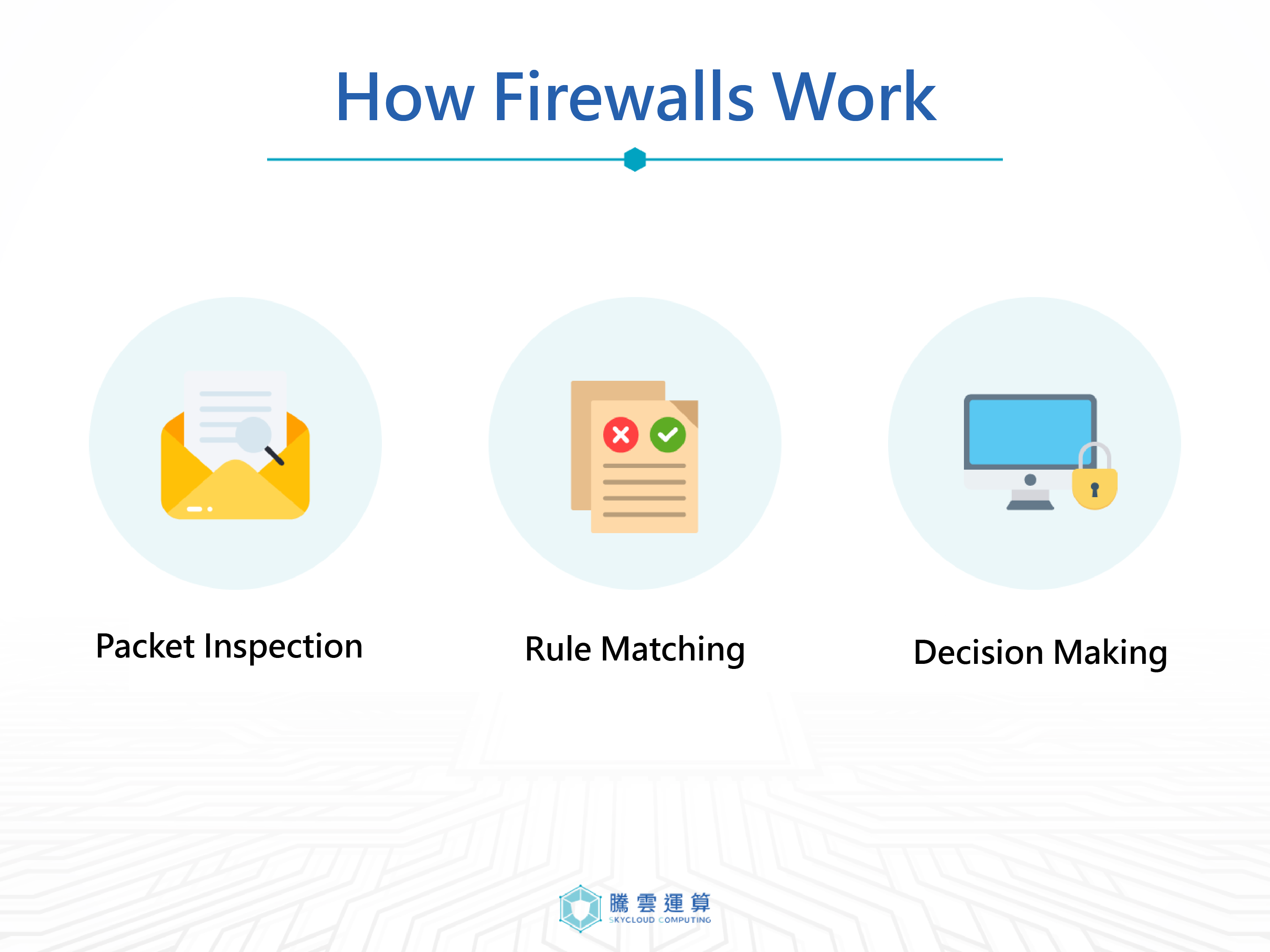
1. Packet Inspection
In the network world, data is divided into small units called "packets" for transmission. Each packet is like a letter, containing detailed information such as the sender, recipient, content (e.g., web page data, email), IP address, port number, and protocol type. The firewall carefully inspects every packet entering and leaving the network to ensure that the information on these packets is correct and matches expected communication patterns. It also rejects packets from dangerous sources or packets carrying malicious viruses.
2. Rule Matching
Of course, not all inspected packets can pass through the firewall smoothly. The firewall determines whether a packet is allowed to pass based on pre-configured security rules. These rules are highly diverse — for example: blocking connections from specific IP addresses, restricting traffic on specific ports, or allowing communications from specific applications (such as HTTP or SSH). These rules are set by network administrators according to actual needs and can be adjusted at any time to improve firewall security.
3. Decision-Making
Only packets that comply with security rules and pass inspection are granted permission to proceed through the firewall. If a packet does not meet the security rules or is suspected of being problematic, the firewall will deny it and may take additional actions — such as logging the packet information, sending alert notifications to the administrator, or even actively blocking the attack source. In addition to allowing and denying traffic, the firewall can also proactively detect various network attacks, such as DDoS attacks and intrusion attempts, providing more comprehensive network protection.
II. What Does a Firewall Do? 5 Essential Firewall Functions You Should Know
If you want to protect information and network security, a firewall is a very important line of defense. Below, we will introduce the benefits of building a reliable firewall.
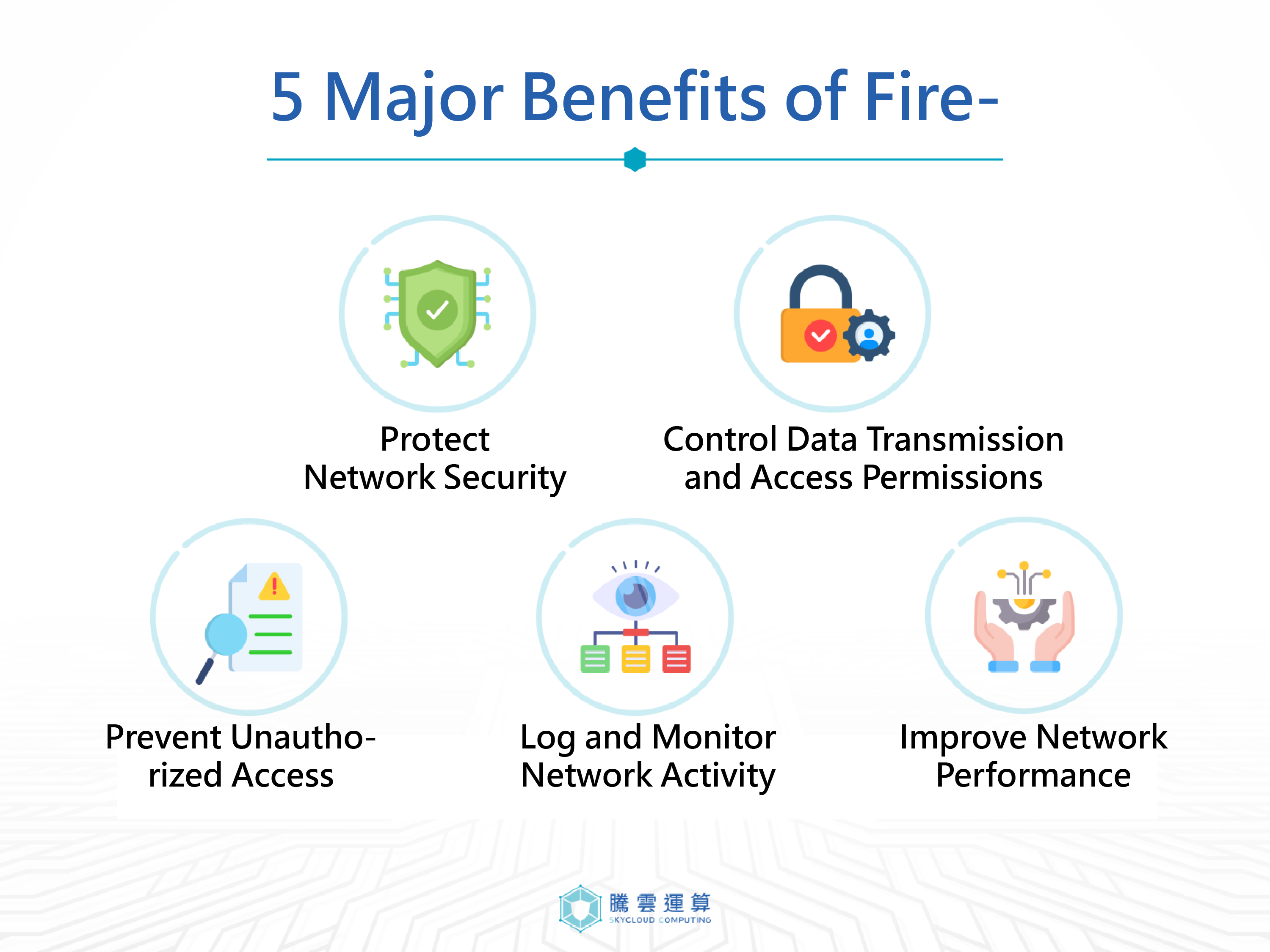
(1) Protecting Network Security
A firewall can effectively block various attacks from external networks, including hacker intrusions, network viruses, DDoS attacks, SQL injection, and more. Like a solid line of defense, it not only filters traffic containing malicious programs but also proactively detects and blocks various network attacks, ensuring the security of the internal network.
(2) Controlling Data Transfer and Access Permissions
A firewall can divide the network into zones with different trust levels, such as the internal network, external network, and DMZ. By setting strict access control rules, it restricts employees to only access authorized resources and prevents confidential data from leaking. For example, a firewall can prohibit employees from sending confidential documents to personal email accounts, or restrict external users to only accessing public web servers.
(3) Preventing Unauthorized Access
A firewall performs strict identity verification for each connecting user or device, including usernames, passwords, digital certificates, and MAC addresses. Only verified users or devices can be authorized to enter the internal network. The firewall grants different access permissions based on different user or device groups, effectively reducing the risk of data breaches.
(4) Logging and Monitoring Network Activity
As the network's security guard, a firewall keeps detailed records of all network traffic passing through, including source IP, destination IP, port numbers, protocol types, and other information. By analyzing these traffic logs, abnormal network behaviors — such as intrusion attempts or data leaks — can be detected in real time. Additionally, traffic analysis helps administrators optimize network configurations and improve network performance. When a security incident occurs, the event logs provided by the firewall help administrators quickly locate the problem and take countermeasures.
(5) Improving Network Performance
A firewall can filter useless, unknown, or potentially threatening network traffic, preventing excessive traffic from occupying network bandwidth and effectively improving network performance. Additionally, a firewall can optimize routing, balance loads, and enhance network transmission efficiency. Through these methods, a firewall can effectively improve network performance while ensuring network security.
III. What Types of Network Firewalls Are There? An Introduction to Common Firewall Types
(1) Traditional Firewalls
1. Software Firewalls
A software firewall, also known as a personal firewall, is a network security software installed on a single computer, server, or other device. It is used to protect a single device or small network from threats originating from external networks. Like a digital protective shield, it has basic functions including monitoring network traffic, filtering harmful content, customizing security rules, blocking attacks, and logging queries.
The cost of deploying a software firewall is relatively low, and there are many ready-made software firewall packages available on the market, making them convenient for individual users. For enterprises that want a higher-strength firewall and wish to use it to segment network zones and configure management permissions, a hardware firewall may be worth considering.
Pros: Software firewalls are easy to install and configure, can be customized to different needs, and can be integrated with other security software. Compared to hardware firewalls, the cost of deploying a software firewall is lower.
Cons: The protection scope and functionality of software firewalls are limited, mainly used to protect a single device or small network, which may not be sufficient for large enterprise networks. In addition, software firewalls consume system resources, especially when handling high traffic, which may cause device performance degradation.
2. Hardware Firewalls
A hardware firewall is a standalone device specifically designed to protect network security. It is typically deployed between an enterprise's internal network and the external internet, serving as the first line of network defense. The hardware firewall inspects all traffic entering and leaving the network and allows or denies it based on preset rules, preventing unauthorized access and attacks.
An enterprise's internal network may consist of multiple computers or devices connected together. A hardware firewall can assign different permissions to computers or devices according to the enterprise's needs, helping the enterprise divide the internal network environment and data access permissions, making it convenient to manage and record enterprise network usage.
Pros: Hardware firewalls can handle large volumes of network traffic to ensure smooth network operation; they operate independently without being affected by the host system, providing higher security.
Cons: Hardware firewalls have high deployment costs, occupy physical data center space, have poor scalability, and high upgrade costs. They also require dedicated personnel with relevant expertise for maintenance and updates.
(2) Proxy-Based Firewalls / Proxy Firewalls
A "proxy-based firewall" is a firewall that filters network traffic through a proxy server. When a user sends a network request, the request is first intercepted by the proxy server, which inspects the request — for example, checking the URL, HTTP headers, and request content — before forwarding it to the target server. Compared to traditional packet-filtering firewalls, proxy firewalls can perform deep inspection of both requests and responses, providing more fine-grained security protection.
Proxy-based firewalls typically use a "proxy server" to handle tasks such as packet inspection and traffic isolation, which is why they are also referred to as Proxy Firewalls.
Pros: Proxy firewalls can inspect application-layer protocols such as HTTP and FTP. They can also filter specific websites, file types, and keywords, and can hide the client's real IP address to improve privacy.
Cons: Since proxy firewalls need to route traffic back through the proxy server before returning it to the user's device, they introduce additional network latency. If the proxy server fails, the entire network access can be affected.
(3) Stateful Firewalls
A stateful firewall is a firewall capable of tracking the state of network connections. Due to its operating mode, it records the state of each connection — such as the two communicating parties, the ports used, and the protocol. When a new packet arrives, the firewall uses this state information to determine whether the packet is legitimate, reducing the need for deep inspection of each individual packet and improving processing speed.
Pros: Reduces inspection overhead per packet, improving network performance. Also effectively prevents various network attacks, such as SYN Flood attacks.
Cons: If an attacker chooses to use a "man-in-the-middle attack" to impersonate a legitimate node or alter data transmission content, the stateful firewall may not be able to detect it.
(4) Next-Generation Firewalls (NGFW)
A Next-Generation Firewall (NGFW) is an upgraded version of traditional firewalls. In addition to the capabilities of traditional firewalls, it integrates IPS functionality to perform deeper analysis and control of network traffic, providing more comprehensive and proactive security protection against increasingly sophisticated cyberattack methods.
Compared to traditional firewalls, next-generation firewalls provide more powerful network traffic analysis and management control capabilities. This not only defends against traditional network and transport layer (Layer 3/4) attacks, but also effectively addresses more complex application layer (Layer 7) attacks.
Next-generation firewalls typically include the following advanced features:
Deep Packet Inspection (DPI): Deep packet inspection works like a network "scanner" that carefully examines every network packet passing through to identify data that may contain malware or attack behavior, blocking various cyberattacks. DPI can also identify malicious content within encrypted traffic based on application-layer information and prevent its spread.
Application Control: Next-generation firewalls can identify and control various network applications, such as HTTP, HTTPS, FTP (File Transfer Protocol), and SMTP (Simple Mail Transfer Protocol). Through application control, enterprises can restrict employees from using specific applications or allocate network bandwidth based on application priority.
Intrusion Prevention System (IPS): Next-generation firewalls have a built-in intrusion prevention system that helps detect and block various network attacks, such as SQL injection and cross-site scripting (XSS).
Virtual Private Network (VPN): Some next-generation firewalls even provide VPN functionality, hiding the user's network IP to maintain secure remote connections and prevent data leaks.
Next-generation firewalls are a professional technology capable of effectively defending against various network threats. In recent years, as cyberattack methods have become increasingly sophisticated, the importance of next-generation firewalls has grown accordingly. For enterprises looking to build a comprehensive network security system, next-generation firewalls offer higher security and flexibility, making them one of the best choices.
Pros: The main advantage of next-generation firewalls lies in their ability to deeply inspect network traffic and identify and filter threats at different levels. They not only support basic filtering rules by IP and port number, but can also perform application-layer detection, providing more granular data control.
Cons: Although next-generation firewalls offer rich functionality and high configurability, this also means their deployment and maintenance require more specialized technical personnel to operate and manage. In addition, the complexity of these firewalls comes with higher monetary costs — both in initial investment and long-term maintenance and upgrades — which can put financial pressure on enterprises.
(5) Firewall as a Service (FWaaS) / Cloud Firewalls
Firewall as a Service (FWaaS) is an innovative network security solution that moves traditional firewall functionality to the cloud, which is why it is also called a "cloud firewall."
FWaaS deploys all firewall functions on cloud servers, so individual users or enterprises do not need to purchase, install, or maintain expensive hardware equipment — they only pay based on usage, effectively saving equipment and labor costs.
Combined with cloud computing virtualization technology, individual users or enterprises can flexibly adjust firewall settings based on their needs, retaining the flexibility of software firewalls without being constrained by hardware equipment.
FWaaS provides an innovative network security solution, making it ideal for small and medium-sized enterprises with limited or no dedicated IT personnel, as well as enterprises with significant remote working needs or heavy use of cloud applications. FWaaS can provide reliable network connectivity and comprehensive information security protection.
Pros: FWaaS requires no hardware purchases, saving costs. Firewall rules and network traffic monitoring can be easily managed through a cloud management platform. Service providers continuously update firewall software and threat intelligence, so users always enjoy the latest security protection. FWaaS can be deployed in cloud data centers around the world, providing broader network coverage.
Cons: The security of FWaaS largely depends on the cloud service provider's security measures. If the provider's security protections are insufficient or the network is unstable, it may affect the firewall's effectiveness. Users need to trust the cloud service provider — if the provider's security defenses are inadequate, there remains a risk of cyberattacks.
(6) Web Application Firewalls (WAF)
A Web Application Firewall (WAF) is a security measure specifically designed to enhance the security of websites and web applications (WebApps). A WAF acts like a solid city wall deployed between the website and its users, responsible for monitoring, filtering, and analyzing all network traffic entering and leaving the website.
A WAF can monitor and filter HTTP/HTTPS traffic entering and leaving the website, logging and analyzing it. Malicious or abnormal traffic is directly blocked by the WAF, preventing threats such as DDoS attacks and brute-force attempts, and avoiding website or application downtime.
Through preset rules or machine learning models, WAFs can also help identify the content and patterns of malicious traffic, effectively defending against SQL injection, cross-site scripting (XSS), and other types of cyberattacks, significantly improving network security.
Choosing and configuring an appropriate WAF can effectively strengthen an enterprise's network security architecture, reduce potential security vulnerabilities, and improve user trust in the enterprise's website. For any enterprise that relies on online transactions and data exchange — such as e-commerce platforms and digital banking — investing in a WAF is an important security strategy.
Pros: A WAF is one of the few firewall types capable of defending against DDoS attacks. By blocking malicious traffic, it effectively reduces data leaks and losses caused by cyberattacks.
Cons: A WAF is an important component of network security, but it is not a silver bullet. Enterprises should combine WAF with other security measures to build a multi-layered defense system for comprehensive network security protection.
(7) Unified Threat Management Firewalls (UTM)
Unified Threat Management (UTM) is a comprehensive network security solution that integrates multiple network security functions into a single device or software.
Traditional firewalls can only filter network packets. UTM builds on this foundation to further strengthen network security protection by integrating intrusion detection, antivirus, spam filtering, content filtering, VPN, and other security functions into a unified system, forming a powerful security protection system that provides more comprehensive network protection.
Pros: UTM integrates multiple security functions into a single platform, simplifying management and reducing administrative costs. It also reduces configuration conflicts between multiple security devices, lowering the risk of administrative errors.
Cons: Because UTM encompasses multiple security functions, improper configuration may affect system stability. Too many security features can also lead to degraded system performance, so dedicated professional personnel are needed for maintenance and management.
(8) Network Address Translation (NAT) Firewalls
Network Address Translation (NAT) primarily converts private IP addresses within the internal network into public IP addresses before connecting to the internet. This mechanism not only helps protect user privacy by hiding their real IP addresses, but also helps avoid direct cyberattacks.
Using a NAT firewall, enterprises and individual users can protect their IP privacy while also monitoring and managing network traffic. This type of firewall can inspect incoming and outgoing packets, filter and block abnormal or malicious network traffic, and provide an additional layer of security protection.
Pros: NAT firewalls not only hide users' real IP addresses, but also allow multiple users to share the same public IP address, effectively conserving IP resources.
Cons: NAT firewalls may introduce latency due to the IP address translation process, especially under high network traffic conditions, leading to degraded connection quality.
(9) Internal Network Security Firewalls
As the name suggests, an internal network security firewall is a firewall specifically designed to protect an enterprise's internal network security, and is commonly used when enterprises need to secure their internal networks.
Unlike traditional firewalls that are primarily used to defend against external attacks, internal network security firewalls focus more on detecting and preventing security threats from within — such as employee misconduct, malicious behavior, and other internal activities that could compromise enterprise network security.
Internal network security firewalls can monitor and analyze internal network traffic in real time, identifying abnormal connection behaviors and data transmission patterns. This capability is very important for promptly detecting potential internal security risks and preventing the leakage of enterprise confidential data.
Pros: In addition to defending against external cyberattacks, internal network security firewalls can also defend against operational errors and malicious behavior by internal users, preventing enterprise confidential data from leaking.
Cons: If the security policies of an internal network security firewall are set too strictly, it may inconvenience employees in their normal network use. Therefore, setting reasonable security policies is key to achieving a balance between security and performance.
IV. Enterprise Network Firewall Recommendation | SkyCloud Computing — Effectively Blocking DDoS Attacks
Do you have firewall deployment needs? Let the professional cybersecurity defense company "SkyCloud Computing" provide you with the best network security system planning recommendations!
As cyberattack methods become increasingly sophisticated and attacks grow more frequent in recent years, SkyCloud Computing has deeply cultivated Anti-DDoS defense for many years. With more than 2,000 node servers and traffic scrubbing centers around the world, we provide efficient and reliable DDoS/CC attack defense solutions for more than 200 Asian clients.
SkyCloud Computing partners with international leaders including NTT, SOFTBANK, and PCCW. When facing cyberattacks, we provide two or three rounds of traffic scrubbing services to rapidly filter abnormal or malicious traffic, quickly defend against DDoS/CC attacks, and ensure that traffic is completely safe, providing clients with comprehensive network security protection.
SkyCloud Computing's DDoS defense solutions offer the following advantages:
Comprehensive Monitoring and Support: SkyCloud Computing's DDoS cloud defense service provides 24/7, 7-days-a-week comprehensive technical monitoring and support, helping you monitor website traffic and respond immediately when under attack.
Intelligent Detection Mechanism: SkyCloud Computing's exclusive "Perceptual Monitoring and Intelligent Scheduling" technology can effectively identify and filter legitimate traffic from malicious attack traffic. By analyzing the characteristics of network packets, it proactively detects abnormal or unidentified traffic sources, automatically filtering and blocking connections, providing enterprises with efficient and reliable DDoS defense services.
Effective Defense Against All Types of DDoS/CC Attacks: SkyCloud Computing has a professional R&D team dedicated to Anti-DDoS/CDN technology development and service quality improvement. Meeting the diverse needs of different enterprises, we have successfully helped more than 200 Asian enterprises defend against all types of DDoS/CC attacks, earning consistent recognition and trust.
SkyCloud Computing can tailor various network security solutions according to the different needs of enterprises, building a solid network security protection framework for enterprises, and providing 7×24 hours of professional technical support to resolve any unexpected situations at any time!
'/%3e%3cdefs%3e%3clinearGradient%20id='paint0_linear_372_3728'%20x1='19.2966'%20y1='17.8555'%20x2='4.40396'%20y2='14.991'%20gradientUnits='userSpaceOnUse'%3e%3cstop%20stop-color='%2336BCD4'/%3e%3cstop%20offset='1'%20stop-color='%2362E0B9'/%3e%3c/linearGradient%3e%3c/defs%3e%3c/svg%3e) Experience fast, secure, and reliable service.
Experience fast, secure, and reliable service.


'/%3e%3cpath%20d='M38.0476%2033.4361C38.563%2033.9451%2039.3985%2033.9451%2039.914%2033.4361C40.4294%2032.927%2040.4294%2032.1018%2039.914%2031.5927L28.4218%2020.2421L16.9296%2031.5927C16.4141%2032.1018%2016.4141%2032.927%2016.9296%2033.4361C17.445%2033.9451%2018.2805%2033.9451%2018.7959%2033.4361L28.4218%2023.9289L38.0476%2033.4361Z'%20fill='%23222222'/%3e%3cdefs%3e%3clinearGradient%20id='paint0_linear_1305_5534'%20x1='53.5'%20y1='53.5'%20x2='-6.00852'%20y2='43.6145'%20gradientUnits='userSpaceOnUse'%3e%3cstop%20stop-color='%2336BCD4'/%3e%3cstop%20offset='1'%20stop-color='%2362E0B9'/%3e%3c/linearGradient%3e%3c/defs%3e%3c/svg%3e)